
Credit Card Reader & Wallet:
The Card Wallet That Keeps Your Cards on Your Phone
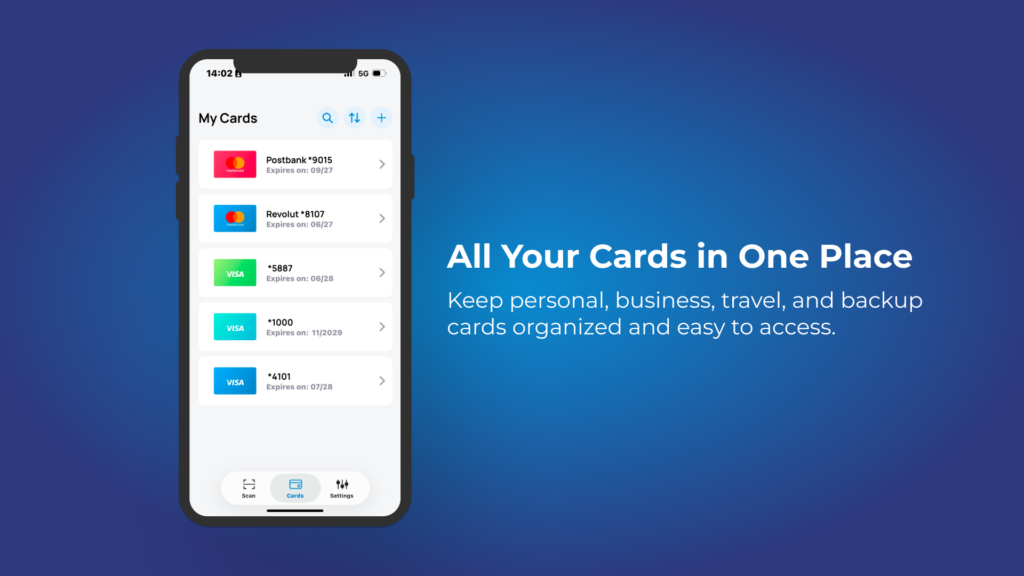
Credit Card Reader & Wallet is a digital wallet app for Android and iPhone that stores your credit and debit cards encrypted on your own device. There is no account, no cloud and no server holding your card details. It scans cards with NFC or the camera, fills them in at online checkout with secure autofill and lets you share a card to your other devices with a QR code or a secure link, or move the whole wallet with your own backup. No ads, no subscriptions, no data collected, over 500,000 downloads on Android.
Quick facts
- App: Credit Card Reader & Wallet (by MaxSoft)
- Platforms: Android and iOS
- Price: Android: first card free, then a one-time Pro upgrade (no subscription). iPhone: paid once, everything included.
- Storage: On your device only, encrypted. No account, no cloud, no sync servers.
- Privacy label: No Data Collected on both Google Play and the App Store.
- Scanning: NFC and camera
- Autofill: Android (Chrome and apps) and iPhone (Safari and apps)
- App lock: Biometric login or PIN code
- Backup & restore: Built in, you keep the backup (on Android, creating a backup is a Pro feature; restoring is free within the card limits below)
- Downloads: 500,000+ on Android, 2,200+ ratings worldwide
Your cards never leave your phone
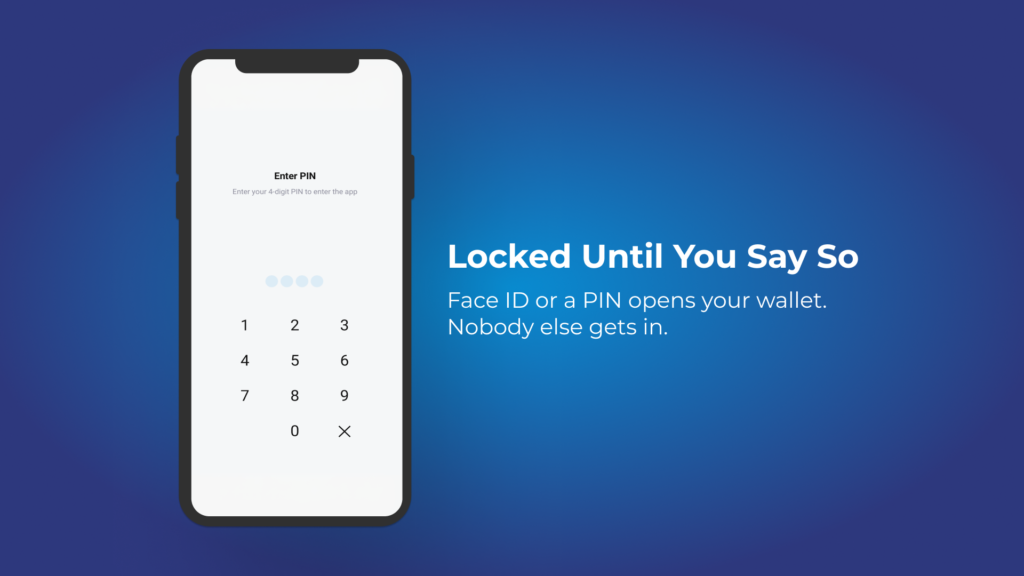
The usual wallet app works by uploading your cards to a company server. Convenient for the company. It also means your card numbers sit in a database you do not control, behind an account password you hope nobody guesses, in a breach report you hope never gets written.
Credit Card Reader & Wallet does the opposite. Your cards are stored in an encrypted vault on the device itself. There is no MaxSoft server with your card data on it because the app never sends it anywhere. Both stores confirm this independently: the app carries the “Data Not Collected” label on Google Play and the App Store, which means the developer declares – and the stores display – that no data is collected from the app at all. No analytics, no tracking SDKs, no advertising identifiers.
You can prove it yourself in ten seconds: put your phone in airplane mode and open the app. Everything works. A wallet that needs the internet to show you your own cards is not really your wallet.
No account, no cloud, no sign-up
There is nothing to register. You install the app and add your cards – that is the whole setup. No email address, no password, no verification code, no “create your account to continue”.
This is not a missing feature. It is the feature. Every account is an attack surface and every cloud copy is a copy you cannot delete. When there is no account, there is nothing to phish, nothing to leak and nothing to shut down. If we ever turned our servers off, your wallet would not notice – there are no servers.
No ads, no subscriptions
The app has no ads and no subscriptions, on either platform. On Android your first card is free; if you want to store more, Pro is a single one-time purchase and it is yours permanently. On iPhone the app is paid once, up front, with everything included.
That is the whole business model: you pay for the app, the app works for you. It does not rent your attention to advertisers and it does not charge you rent for your own card list every month.
Add a card in seconds: NFC or camera
Typing sixteen digits on a phone keyboard is nobody’s idea of fun, so the app gives you two faster ways in:
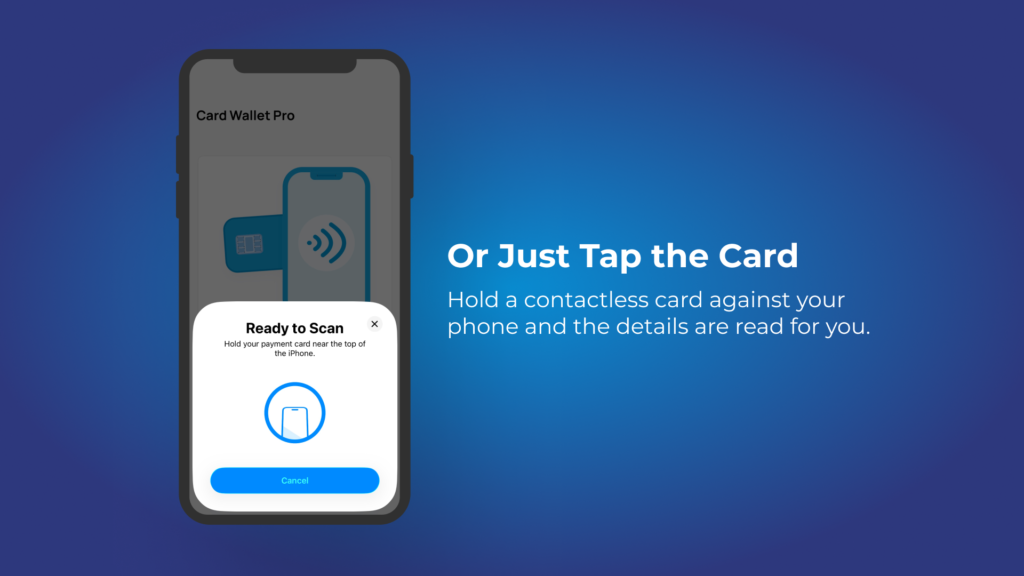
- NFC scanning. Hold a contactless card against the back of your phone and the app reads the number and expiry date directly from the chip, with a guided animation and clear feedback while it reads. On Android this works on any NFC phone. On iPhone, NFC card reading is limited by Apple to supported regions in Europe.
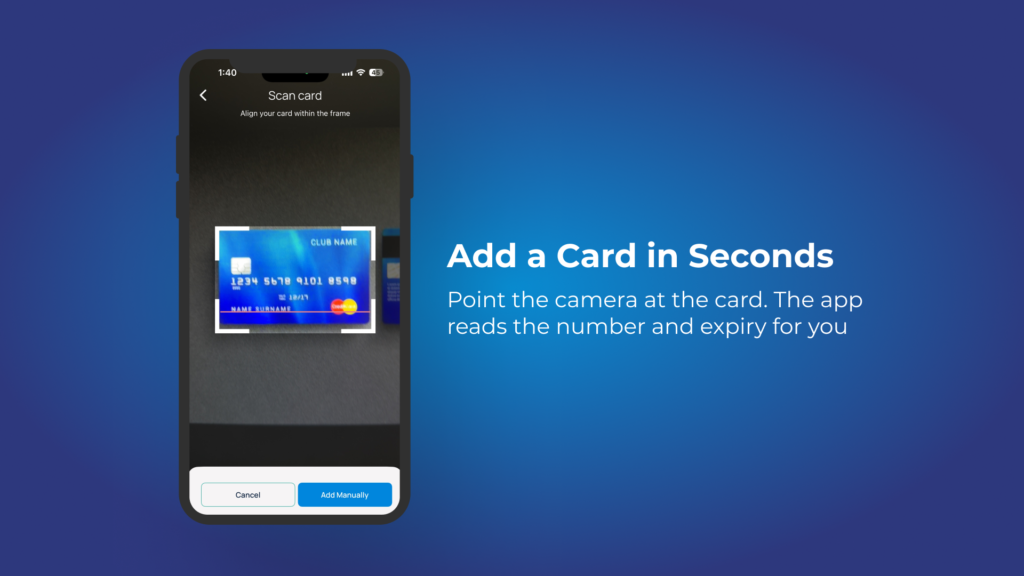
- Camera scanning. Point the camera at the card and the app reads the details from the card face. This works everywhere, including on iPhones outside the NFC regions.
You can also type the details manually if you prefer. Extra fields such as the card PIN or CVV are entirely optional – the app never forces you to store them.
One more thing an NFC read can do: for supported EMV cards it can also show the recent transaction information the card itself holds – a quick way to see the last payments made with that physical card. Whether a card offers this depends on the card and its issuer. Some cards share nothing. And what you see is a snapshot from the card, not a live bank statement.
Autofill that pays online in seconds
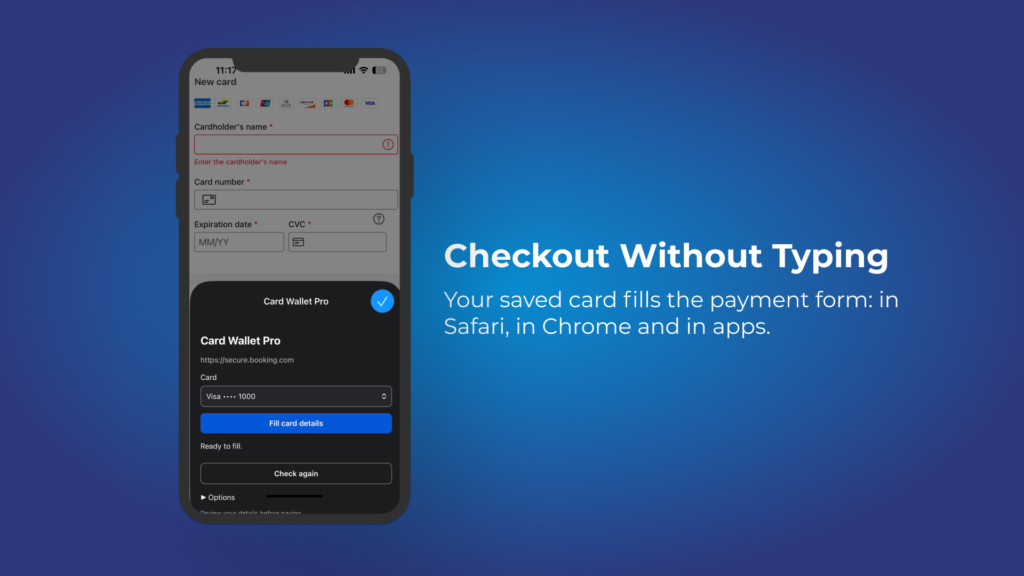
Storing cards is only half the job; the other half is using them without digging through a drawer or typing digits at checkout. Credit Card Reader & Wallet plugs into the autofill system of both platforms:
- On Android, it fills your saved cards in Chrome and in apps that use the Android autofill framework.
- On iPhone, there are two extensions: a Safari extension that fills payment forms while you browse and the system AutoFill extension that offers your cards in apps and form fields across iOS.
None of this is left unguarded. The app locks with biometric login or a PIN code – your choice – and autofill asks for that confirmation before it fills. Someone holding your unlocked phone still does not get your cards.
Quick copy, for the places autofill cannot reach
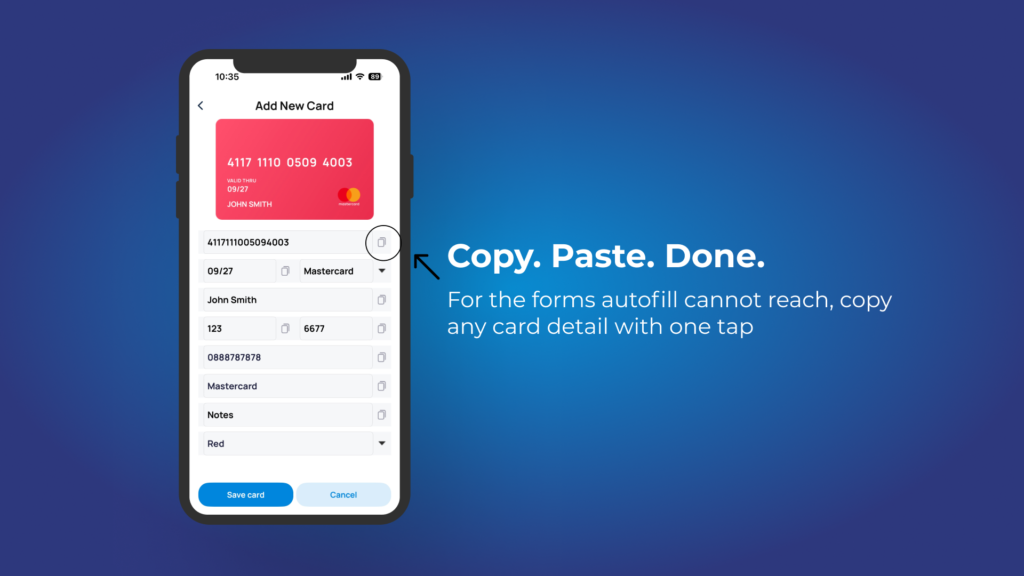
Some forms do not support autofill – a desktop site on your laptop, a form inside an app, a payment page that autofill cannot reach. For those, any card detail is one tap away: open the card, tap to copy the number, expiry or code and paste it where you need it. On iPhone you can go one step further and have the details copied to the clipboard automatically right after scanning a card. It sounds small. Do it twenty times and it stops sounding small.
Share a card between your own devices: no cloud involved
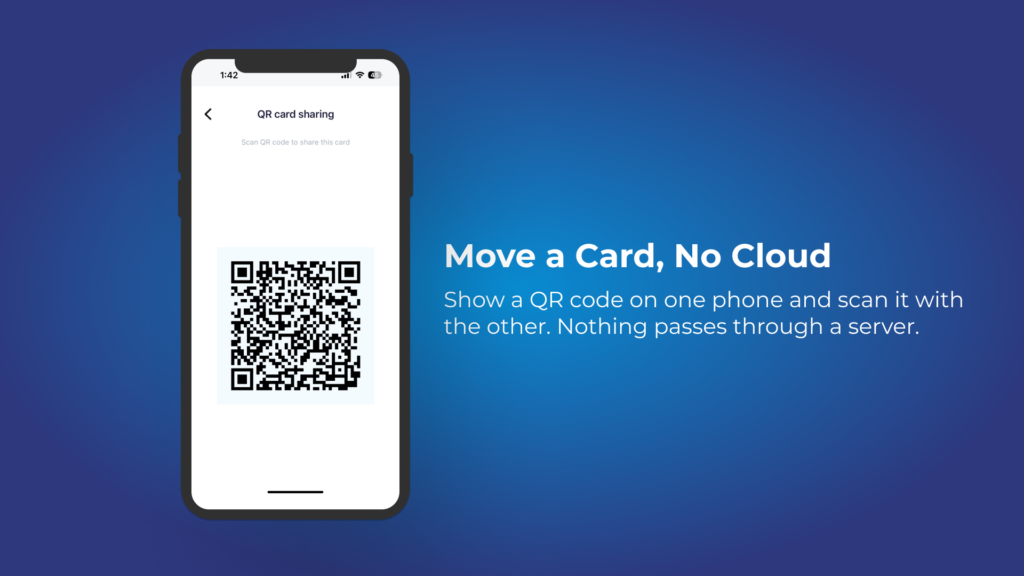
People own more than one device, and “no cloud” should not mean “type everything twice”. The app lets you pass a card from one device to another directly, end to end:
- Show a QR code on one device and scan it with the other.
- Or send a secure link between your devices.
The card travels device to device, not device to server to device. It works across platforms too, so an Android phone and an iPhone can hand cards to each other. This is also the easy way to give a family member a card you share, without reading sixteen digits out loud over the phone.
For moving everything at once – a new phone, a second device – that is what backup and restore are for.
And the wallet is not only on phones: the iPhone app also runs on iPad and on Macs with Apple silicon, so your cards are at hand on the bigger screens too – stored on that device, as always.
More than numbers: descriptions, notes and the phone number you hope never to need
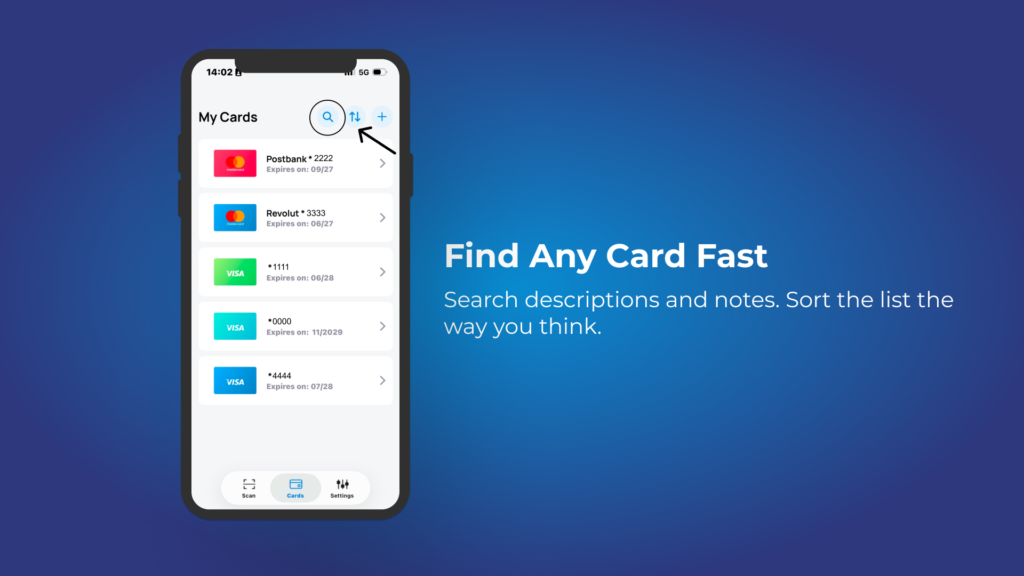
.A card is more than sixteen digits. The app lets you keep the rest with it:
- A description, so “the blue one” becomes “travel card” or “work expenses”.
- A color for each card, so the everyday card, the travel card and the work card are recognisable on sight, before you read a single digit.
- A notes field for whatever belongs with that card – the details you would otherwise scatter across a notes app or, worse, a sticky note.
- Emergency contacts for the card – above all your bank’s lost-and-stolen number – stored with the card itself. If the card is ever lost or stolen, the number you need in that stressful minute is right there with the card, not buried in a website.
And because a wallet grows, all of this is organised for finding, not just storing: you can sort the card list the way you think about it and search across your cards. The search looks through the descriptions, notes and card details, so the card you added a note to last year is one search away.
Expiry alerts, so a card never dies at checkout
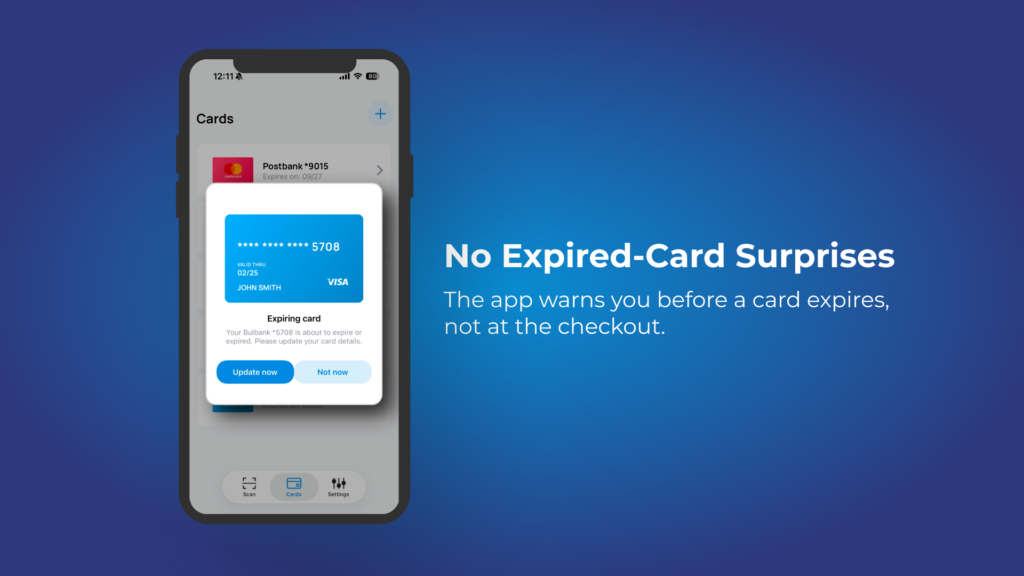
Most “card declined” moments are not about money. They are about a card that quietly expired last month. The app watches the expiry dates for you and reminds you before a card runs out, so the replacement gets ordered while the old card still works – not at a checkout, in front of a queue.
Honest limits
A description page that only lists strengths is an advert, so here is what the app deliberately does not do:
- It does not pay in physical stores. No app can turn a stored card into a tap-to-pay card at a terminal – that is reserved for the banks and the platform wallets. This app is for keeping your cards and paying online, where autofill does the work.
- NFC reading cannot be guaranteed for every card. Some card types cannot be read and some issuers lock NFC reading. The app tells you clearly when a read fails and why. The camera scan is always there as a fallback.
- There is no cloud sync, on purpose. Your cards move between devices by QR code or secure link, when you choose to move them. Nothing syncs silently in the background, because there is nothing in the background.
Backup and restore: your wallet, portable without an account
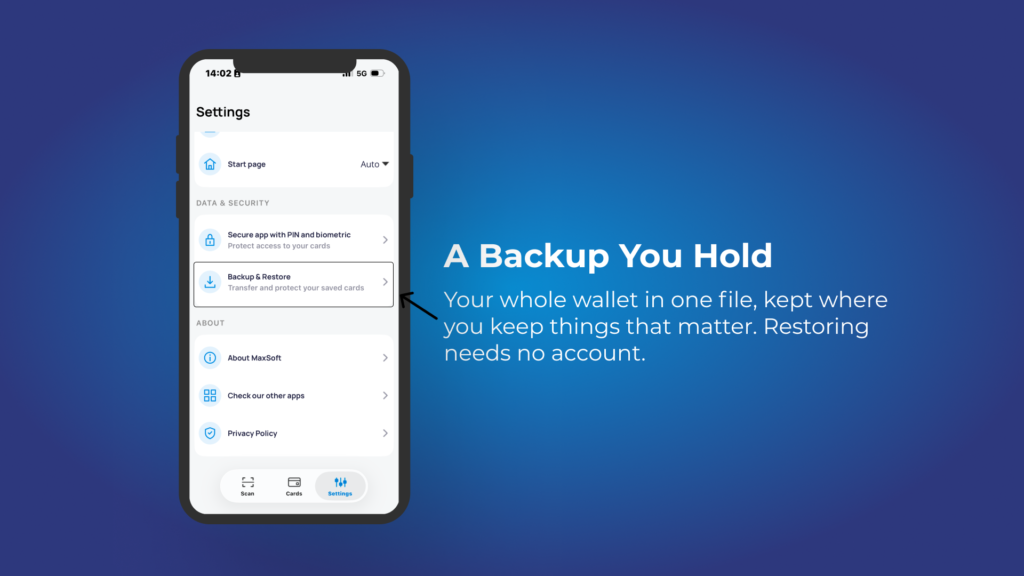
“No cloud” raises one fair question: what happens when you get a new phone? The answer is a backup that works the way everything else in this app works – it is yours.
You create a backup of your whole wallet and keep it where you keep things that matter. On the new phone, you restore it and your cards are back. No account is created, nothing is uploaded to us and the backup does not phone home. Moving between Android and iPhone works the same way.
The pricing is kept gentle on purpose, because a backup you cannot restore is a trap, not a feature:
- On Android, creating a backup is part of Pro. Restoring is free within the free tier’s card limit: new free users can restore one card and Pro restores everything.
- Long-time users are grandfathered: if you used the older free version of the app, you can restore as many cards as you had added before updating – your existing wallet never gets held hostage by a paywall.
- On iPhone, backup and restore are part of the one-time purchase, like everything else in the app.
Questions people ask
Is Credit Card Reader & Wallet free? On Android, your first card is free and fully functional. Storing more cards is a one-time Pro purchase – no subscription. On iPhone, the app is a single paid download with everything included.
Where are my card details stored? Only on your device, encrypted. Not on our servers (there are none for card data), not in a cloud account, nowhere else. Both app stores show the app as “Data Not Collected”.
Does the app need an account or an internet connection? No account, ever. The app also works fully offline – airplane mode included. Your cards are on the phone, so the phone is all it needs.
Can it read my card with NFC? Yes, on Android phones with NFC. The reader guides you through it. On iPhone, Apple restricts NFC card reading to supported European regions; everywhere else, the camera scan does the same job.
Can the app pay in shops? No – and no third-party app can. Paying at a physical terminal requires your bank or the platform wallet (Google Wallet / Apple Pay). This app keeps your cards safe and fills them in for online payments.
How do I move my cards to a new phone or a second device? Two ways. For a card or two, share them from the old device with a QR code or a secure link. For the whole wallet, create a backup on the old phone and restore it on the new one – restoring is free within the free card limits (one card for new free users; long-time users of the older free version can restore every card they had). Pro removes the limit. Both ways work between Android and iPhone.
Does it work with autofill? Yes. On Android it fills cards in Chrome and apps; on iPhone it works with Safari and system-wide AutoFill, confirmed with your biometric unlock.
How many people use it? The Android app passed 500,000 downloads in October 2026, with more than 2,200 ratings across stores. The iPhone app regularly reaches the top of the App Store’s paid Finance chart in smaller countries.
Who makes it? MaxSoft, a small independent software company from Bulgaria that has published apps since 2018 – ten apps, over a million downloads across the portfolio. This app’s model is simple: you pay once, your data stays yours.
Get the app:
More Like This:

Credit Card Manager

NFC NDEF Tag Emulator


Building intelligent digital products that empower businesses and people. From AI solutions and mobile apps to web design and software development, we transform ideas into innovation.